
Download Camfrog Video Chat – Free Secure Live Streaming, Webcam Talk, Group Rooms
Overview of Camfrog Video Chat
Camfrog Video Chat is a long‑standing live‑streaming video chat platform that lets you meet new people, join themed rooms, and converse face‑to‑face through your webcam. Designed with a clean, IM‑style interface for macOS, Camfrog offers a mix of one‑on‑one conversations and bustling group rooms ranging from “LearnEnglish” to “Latino” and even a dedicated sign‑language lounge. While the registration process asks for personal details such as marital status—a quirky requirement that some users find intrusive—the core experience is surprisingly straightforward: pick a room, enable your camera, and start chatting.
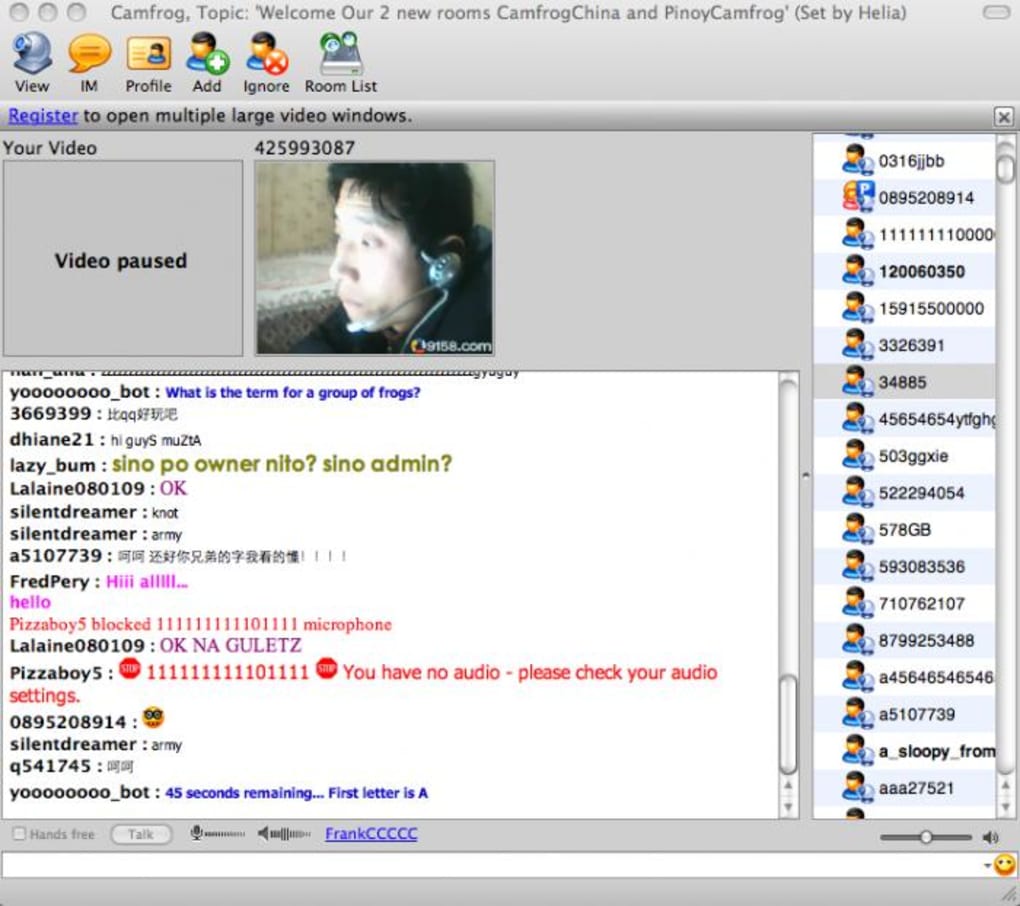
The main Camfrog room can feel chaotic, with multiple video streams and rapid text chatter overlapping like a radio dial. Yet this very chaos is part of the charm, providing a voyeur‑like glimpse into a global community that is constantly active. Video and audio quality are generally solid, especially on modern Macs, and the platform scales well from casual socializing to more focused group collaborations. The free version limits video size and simultaneous streams, but the Pro upgrade unlocks larger windows and multi‑video layouts, making it a viable tool for remote teams as well as friends looking to hang out.
Over the years Camfrog has added stability fixes, multi‑threaded file transfers, Growl notifications, and dynamic stream reconnection, ensuring a smoother experience on macOS 10.7 and later. Whether you’re seeking a quick chat, language practice, or a lively community, Camfrog Video Chat provides a secure, free entry point to live video interaction on the Mac platform.
Key Features That Set Camfrog Apart
- Live Video Rooms: Join public rooms or create private ones, with categories ranging from language learning to hobby groups.
- One‑on‑One Webcam Chat: Switch from a bustling group to a private conversation with a single click.
- High‑Quality Audio/Video: Optimized codecs deliver clear sound and crisp video even on slower connections.
- Instant Messaging Integration: Text chat runs alongside video, with a familiar IM layout for quick replies.
- Multi‑Threaded File & Snapshot Transfer: Send images, documents, and snapshots without slowing the video stream.
- Growl Notification Support: Receive desktop alerts for new messages, friend requests, and room activity.
- Dynamic Stream Reconnect: Automatic reconnection minimizes interruptions when network hiccups occur.
- Moderation Tools: Room owners can set rules, mute participants, and ban disruptive users to keep conversations safe.
- Pro Version Enhancements: Larger video windows, multiple simultaneous streams, and advanced privacy settings.
- Cross‑Platform Compatibility: While this review focuses on the macOS client, Camfrog also offers Windows, Android, and iOS apps.
Each of these features is built to encourage organic interaction while maintaining a level of control that prevents spam and abuse. The moderation settings, for example, allow room creators to enforce policies such as “no nudity” and “no repeated text,” fostering a respectful environment. The inclusion of Growl notifications and multi‑threaded transfers demonstrates Camfrog’s commitment to a seamless user experience, ensuring that file sharing and status alerts never interfere with the live video feed.
For power users, the Pro upgrade unlocks the ability to view multiple participants side‑by‑side, a crucial capability for collaborative projects or tutoring sessions. Even without the upgrade, the free version remains a robust platform for casual conversation, making it an appealing choice for anyone looking to explore live video chat without a subscription fee.
Installation, Usage & Compatibility Guide
Step‑by‑Step Installation
1. Download the Installer: Visit the official Camfrog website and click the “Download for macOS” button. The file is a signed .dmg package, ensuring a secure download.
2.
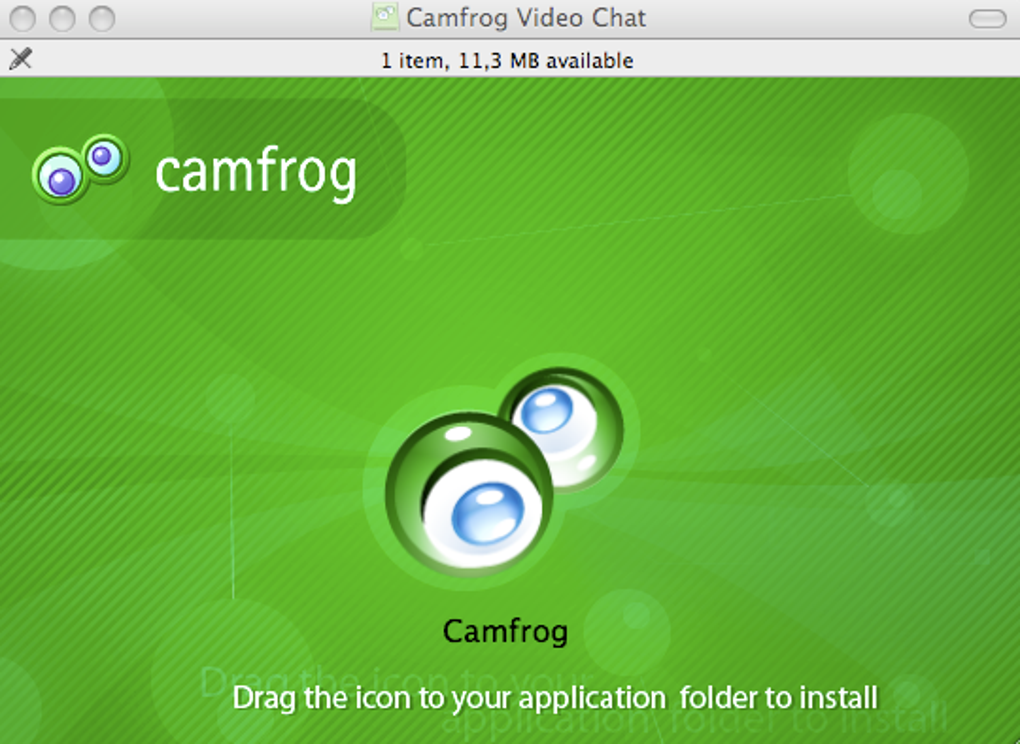
Open the Disk Image: Double‑click the .dmg file, then drag the Camfrog icon into your Applications folder.
3. Launch the App: Navigate to Applications, locate Camfrog, and open it. macOS may warn you about an unidentified developer; click “Open Anyway” in Security & Privacy settings.
4. Create an Account: Register with a valid email address.
You’ll be prompted to provide your marital status—this field is mandatory but does not affect functionality.
5. Configure Settings: In the Preferences menu, adjust video resolution, microphone input, and notification preferences to suit your hardware.
How to Use Camfrog Effectively
Once logged in, you’ll see a list of rooms on the left and your contact list on the right. Click “Join Main Room” to enter the central hub, or select a themed room that matches your interests. When you enter a room, your webcam will automatically stream if you have granted camera permissions. To start a private chat, click a user’s name; a new window opens showing their video feed and a text box for instant messaging. Use the “Mute” button to silence your microphone, and the “Hide Video” option if you need privacy.
The interface includes a toolbar at the bottom for sharing files, taking snapshots, and accessing settings. The “Room Rules” pane outlines community standards, helping you stay within acceptable behavior. For better video quality, ensure you have a stable internet connection (minimum 2 Mbps upload) and close bandwidth‑heavy applications.
System Compatibility
Camfrog Video Chat for Mac supports macOS 10.11 (El Capitan) and later, including macOS Ventura. The application runs natively on Intel‑based Macs and Apple Silicon (M1/M2) thanks to Rosetta 2 translation, though performance is best on native Apple Silicon builds (released in version 7.0). Minimum hardware requirements include 2 GB RAM, a webcam with 720p capability, and a microphone. The software is also available for Windows 10/11, Android 6.0+, and iOS 12+, allowing cross‑platform conversations.
Security‑wise, Camfrog uses SSL/TLS encryption for all data streams, ensuring that video, audio, and chat messages are protected from eavesdropping. Regular updates address vulnerabilities and improve stability, so enable automatic updates in the Preferences menu.
Pros, Cons, Frequently Asked Questions & Final Thoughts
Pros & Cons
- Pros:
- Free to use with optional affordable Pro upgrade.
- High‑quality video and audio on modern Macs.
- Wide variety of public rooms for niche interests.
- Robust moderation tools keep environments safe.
- Multi‑threaded file transfer and Growl notifications enhance workflow.
- Cross‑platform support enables seamless interaction with Windows, Android, and iOS users.
- Cons:
- Mandatory marital‑status field may deter privacy‑conscious users.
- Free version limits video window size and simultaneous streams.
- Main room can feel chaotic for newcomers.
- Interface, while clean, may appear dated compared to newer video‑chat apps.
- Occasional lag on slower internet connections.
FAQ – Your Camfrog Questions Answered
-
Is Camfrog safe for minors?
Camfrog implements room moderation, age‑appropriate rooms, and strict “no nudity” policies. However, parental supervision is recommended because public rooms can contain a wide age range.
-
Can I record my video chats?
Yes. The Pro version includes a built-in recorder that saves video locally. Free users can take snapshots, but full video recording requires the upgrade.
-
What are the system requirements for macOS?
macOS 10.11 or later, 2 GB RAM, 720p webcam, and a microphone. Apple Silicon (M1/M2) is fully supported; Intel Macs run via Rosetta 2 if needed.
-
How does Camfrog handle privacy and data security?
All streams are encrypted with SSL/TLS. The app does not store video locally unless you use the Pro recording feature. Users can control who sees their video through privacy settings.
-
Is there a way to block unwanted users?
Yes. You can add users to your block list from the contact menu, preventing them from joining your private chats or sending messages.
Final Verdict & Call to Action
Camfrog Video Chat stands out as a reliable, free platform that brings real‑time face‑to‑face interaction to macOS users. Its extensive room selection and solid video quality make it an enjoyable social hub, while the Pro upgrade adds features useful for small teams and educators. The mandatory marital‑status field and occasional room chaos are minor drawbacks that most users will overlook in exchange for the vibrant community and secure connections.
If you’re looking for a straightforward way to meet new people, practice languages, or host informal video meetings without a subscription, download Camfrog Video Chat today. The free version gets you started instantly, and you can always upgrade later for larger video windows and multi‑stream capabilities.







